NewRemove subtitles and add translated ones in one go
Remove hard subtitles
from any video.
AI erases burned-in subtitles, captions and on-screen text by rebuilding the picture behind them — no blur, no black bars. Then add subtitles in another language, ready to post.
First minute free · Pay per second · Credits never expire
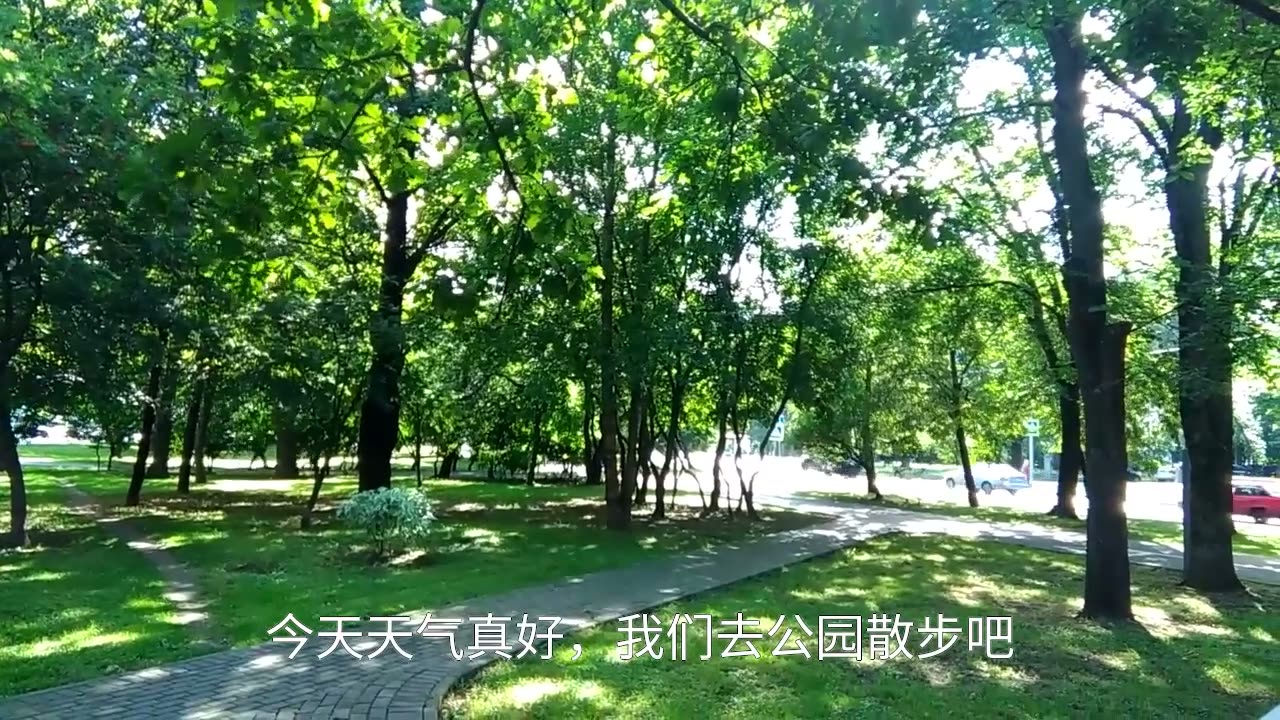
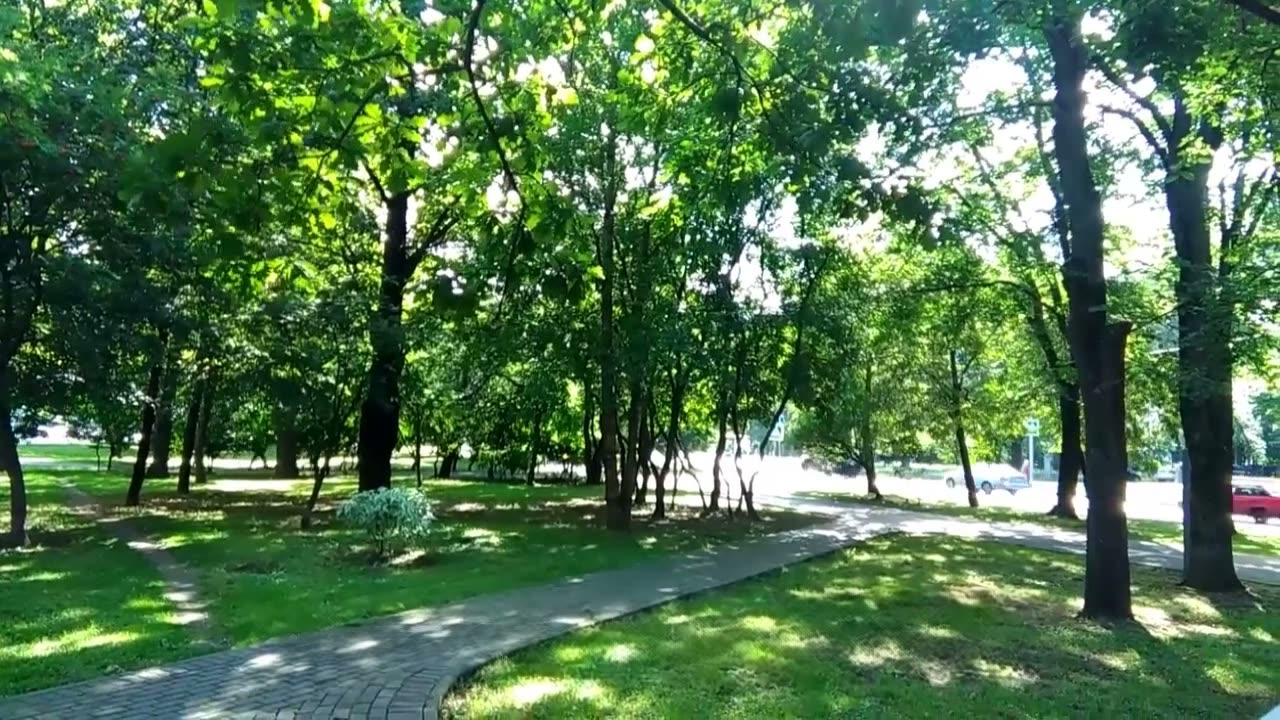
How it works
Clean video in three steps
No editing software, no masking frame by frame.
- 01
Upload your video
Drop an MP4, MOV, MKV or other file up to 10 minutes. We read its length and show the exact price.
- 02
Choose what to remove
Let Auto find the captions, or draw boxes over subtitles, text watermarks or names. Add translated subtitles if you need them.
- 03
Download and post
Get the clean MP4, the subtitled MP4 and SRT files. Fix any line and burn it in again.
Features
Everything to clean and re-subtitle a video
Built for creators, localization teams and anyone who reuses video.
Rebuilds what's behind the text
The model looks at the frames around each subtitle to restore the real background — no blur patch, mosaic or black bar.
Automatic detection
Auto mode finds captions in the lower half of the frame on its own, in any language. One click, cheapest option.
Precise boxes and time ranges
Box exactly what to erase anywhere in the frame — subtitles, text watermarks, names, titles — and limit it to the moments you pick.
Translated subtitles
Read the original subtitles from the picture or the audio, translate them into 19 languages and burn them in with your font, color and position.
Editable subtitles and SRT
Fix wording and timing line by line with a live preview, download SRT files, and burn the edits in again.
Made for real videos
Up to 10 minutes, 2 GB and 2K input. Long videos are split, cleaned in parallel and joined again automatically.
Before you upload
What it removes — and what it doesn't
The AI is built to erase text. Here is exactly what that covers, so you know what to expect.
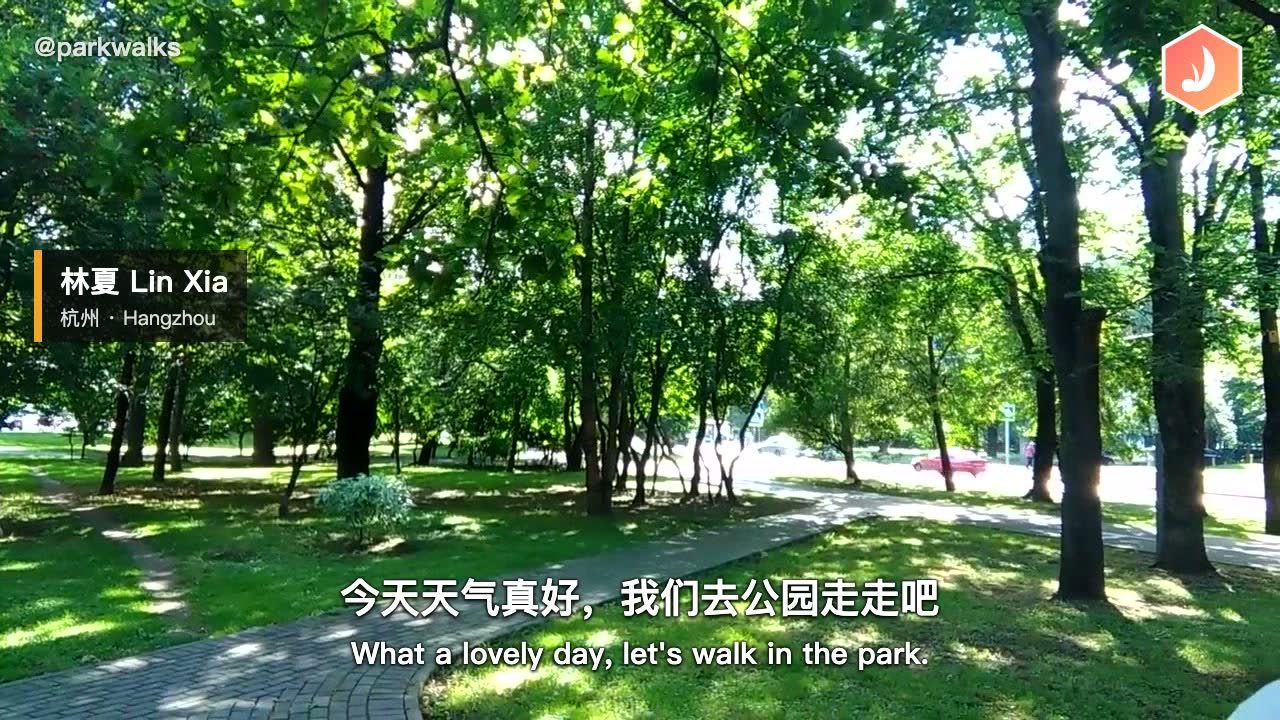
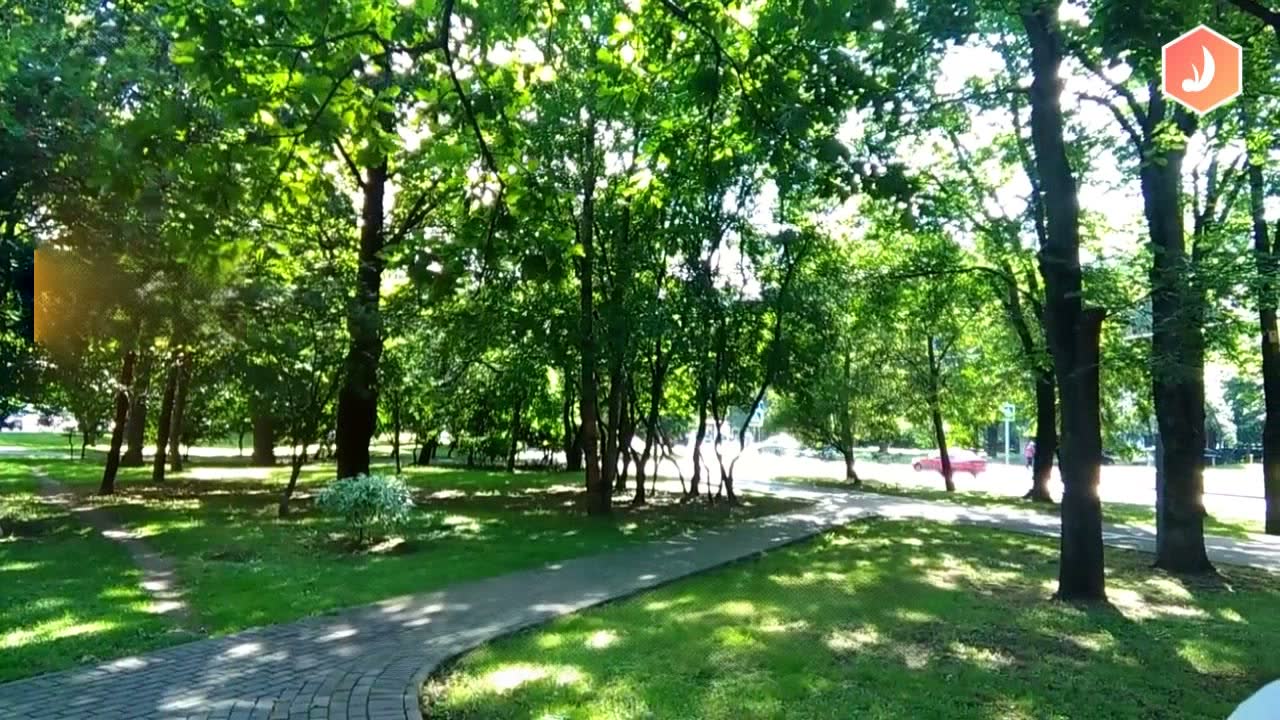
A real example
Real output, not a mock-up: Precise mode, “All text”, one box over the whole frame. Drag to compare.
Two-line subtitles (Chinese and English)Removed
“@parkwalks” text watermarkRemoved
Text on the name tagRemoved
The coloured plate behind it can leave a faint trace.
Hexagon graphic logoKept
It isn't text, so it stays even inside the box.
Removes
Burned-in subtitles and captions
Hard-coded subtitles in any language, one or two lines, including ones with outlines or shadows.
Text watermarks and usernames
Such as “@username” or a channel name. Use Precise mode, choose “All text” and box it.
Other on-screen text
Name tags, place labels, titles and other text added on top of the video. A coloured plate behind the text can leave a faint trace.
Only where and when you choose
Limit erasing to boxes and time ranges, for example to keep the opening title.
Doesn't remove
Graphic logos, icons and stickers
Logos, emoji, stickers and image watermarks that aren't text stay, even when you box them.
Text that is part of the scene
Shop signs, plaques, posters, and text printed on products or clothes are not erased.
People, objects or blur
It is not an object remover: it can't take out people, objects or mosaics, or fix blurred areas.
Soft subtitles
Subtitles you can switch off in a player are a separate track, not part of the picture. Turn them off instead.
Good to know
- Auto finds subtitles in the lower half of the frame that are roughly centred. For subtitles at the top or side, use Precise.
- Up to 10 minutes, 2 GB and 2K per video. The result is at most 1080p and keeps the original audio.
- Where text covered a busy or fast-moving background, the rebuilt area can look slightly soft.
- Translated subtitles read on-screen text in any language, or speech in Chinese and English only.
- Only upload videos you own or have permission to edit.
Translation
Swap the subtitles for another language
Remove the original captions and add new ones in a single job — the fastest way to localize short dramas, ads and clips.
Read
Text recognition reads the burned-in subtitles with their timing; speech recognition works when there are none.
Translate
Each line is translated in context into natural, short subtitle lines.
Burn in
The new subtitles are burned into the cleaned video in the style you choose. Edit and re-burn any time.
- English
- Chinese (Simplified)
- Chinese (Traditional)
- Japanese
- Korean
- Spanish
- Portuguese
- French
- German
- Italian
- Russian
- Arabic
- Hindi
- Indonesian
- Malay
- Thai
- Vietnamese
- Turkish
- Filipino
- Max length
- 10 min
- Max file size
- 2 GB
- Max input
- 2K
- Output
- 1080p
- Languages
- 19
Who it's for
One tool, many workflows
Wherever burned-in text gets in the way.
Short drama localization
Replace Chinese subtitles with English, Spanish, Indonesian and more, episode after episode.
E-commerce and ads
Clean product clips and ads of captions and text overlays before adapting them for your store or market.
Creators and editors
Reuse your own footage without old captions, or re-subtitle it for a new audience.
Courses and training
Remove outdated on-screen text and add subtitles in your learners' language.
Pricing
Pay only for the seconds you process
Subscribe for the lowest price per minute, or buy a pack once that never expires. Auto removal costs 1 credit per second of video, and you see the exact price before you start.
Basic
$9.90/ month
Billed monthly, cancel anytime
3000 credits a month · About 50 min of video
$0.20/min26% less than packs
- About 16 min of Precise removal a month
- About 25 min with translated subtitles a month
- Fresh credits every month
- Cancel anytime, keep credits until they expire
Standard
Most popular$19.90/ month
Billed monthly, cancel anytime
8000 credits a month · About 133 min of video
$0.15/min44% less than packs
- About 44 min of Precise removal a month
- About 66 min with translated subtitles a month
- Fresh credits every month
- Cancel anytime, keep credits until they expire
Pro
Best value$49.00/ month
Billed monthly, cancel anytime
20000 credits a month · About 333 min of video
$0.15/min45% less than packs
- About 111 min of Precise removal a month
- About 166 min with translated subtitles a month
- Fresh credits every month
- Cancel anytime, keep credits until they expire
- Secure checkout by Stripe
- Pack credits never expire
- Failed jobs refunded automatically
FAQ
Questions about removing subtitles
By the Subtitle Remover team ·
Upload the video, choose Auto (captions in the lower half are found for you) or Precise (draw boxes over the text), and start. The AI rebuilds the picture behind the text frame by frame and you download a clean MP4.
No. Instead of blurring or covering the area, the model reconstructs the background from the surrounding frames. Busy, fast-moving backgrounds can look slightly soft; Precise mode uses a finer model for the best result.
The original audio track is kept. Videos up to 2K are accepted and the result is at most 1080p, so a 1440p video comes back as 1080p. The length stays the same.
Text watermarks, yes: in Precise mode choose “All text” and box the username or text. Graphic logos, icons and image watermarks that aren't text can't be removed, because the AI erases text only. Text that is part of the scene, such as shop signs or labels on products, also stays.
Turn on Translated subtitles and pick a language. We read the original subtitles from the picture (or the speech), translate them, and burn them into the cleaned video. You can edit every line, download SRT files and burn the edits in again.
Usually a few minutes; longer videos and translated subtitles take a little longer. You can close the page — the job keeps running and appears in your history.
You pay per second of video: Auto removal costs 1 credit per second, Precise removal 3 credits per second, and translated subtitles add 1 credit per second. Plans start at $9.90 a month, packs at $4.99, and new accounts get 60 free credits.
The credits are refunded automatically. If only the subtitles fail, their part is refunded and you still get the clean video.
Yes. Your uploads and results are only visible in your account and are used only to process your job. Only upload videos you own or have the rights to edit.
Clean your first video in minutes
Your first minute is free. Upload a clip, see the price, and get it back without subtitles, or with new ones.
Try it free